
Project Description
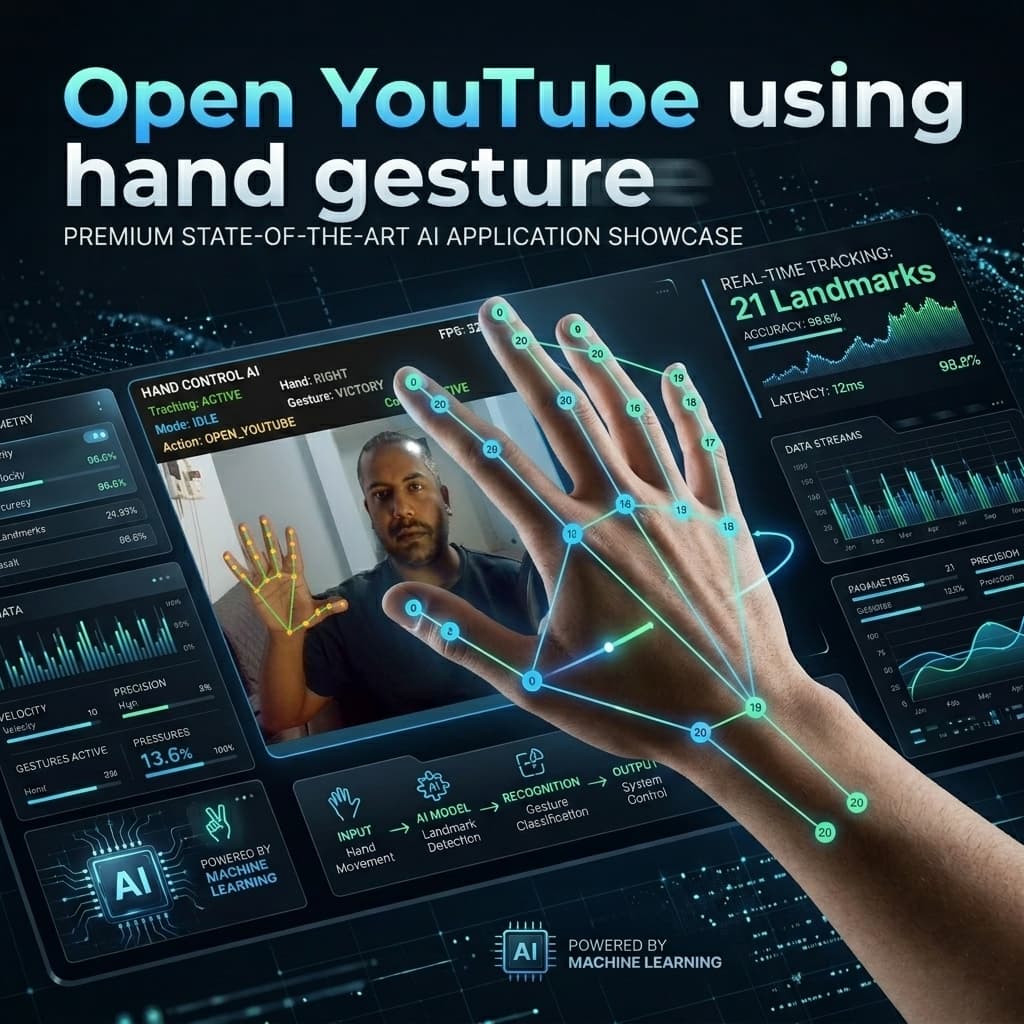
The AI-Powered Hand Gesture Control System is an advanced software utility built to bridge the gap between computer vision and operating system level automation. Using a standard RGB webcam, the application uses MediaPipe’s Hand Landmarker model to detect 21 coordinate points of a user's hand at high frame rates.
The software separates the computer vision pipeline, gesture heuristics, stabilization filters, and OS-specific automation backends:
- Camera Manager: Captures and mirrors the OpenCV video frames.
- Hand Detector: Wraps MediaPipe to extract high-fidelity coordinates, handedness (left/right recognition), and orientation.
- Gesture Recognizer & Swipe Detector: Computes spatial relationships (e.g. Euclidean distance, finger state tracking, and temporal swipe history) to determine gestures.
- Gesture Manager: Implements temporal stabilization frames (smoothing and debouncing) to eliminate noise and accidental triggers.
- Action Controller: Dispatches events to system APIs like Windows Multimedia (Pycaw), WMI (Monitor Brightness), PyAutoGUI (Mouse coordinates and clicks), and keyboard shortcuts.
The result is a robust, low-latency, and modular contactless interface tailored for media control, hands-free slide navigation, accessibility improvements, and remote mouse manipulation.
🛠 Core Features
- Multi-Mode Control Interface: Support for 5 specialized operating modes (Idle, Volume, Brightness, Media, Mouse, Presentation) switchable via keyboard hotkeys or quick gestures.
- Global Hand Tracking: Supports real-time landmark rendering, FPS estimation, active mode displays, and last gesture overlay directly on the video screen.
- Stabilization and Noise Reduction: Integrates sliding-window history buffers and cooldown limits to prevent duplicate executions (e.g., volume scrolling or double clicks).
- Advanced Action Automation:
- Volume & Brightness: Continuous precision adjustments using distance scaling between fingers.
- Media & Slides: Swiping left/right in the air triggers native system keystrokes to change music tracks or PowerPoint slides.
- Mouse Emulation: Precise cursor tracking, clicking via index-thumb pinching, and vertical scrolling via a two-finger victory gesture.
- Global Gestures: Immediate high-priority shortcuts, such as a fist to mute, index-only up to set full volume, or open palm to launch specific applications (like YouTube).
⚙ How the Project Works (Architecture Pipeline)
The data pipeline runs sequentially on each camera frame to minimize input lag:
graph TD
    A[Webcam Video Stream] -->|RGB Frame| B[OpenCV Video Capturer]
    B -->|Mirrored & Resized Frame| C[MediaPipe Hand Landmarker]
    C -->|21 3D Coordinates + Handedness| D[Gesture Recognizer]
    D -->|Geometric Ratios & Euclidean Distances| E[Swipe & Gesture State Machine]
    E -->|Raw Gesture Token| F[Gesture Manager]
    F -->|Smoothing & Cooldown Buffers| G[Action Controller]
    G -->|Windows Native APIs / pycaw / PyAutoGUI| H[OS Execution Volume, Brightness, Mouse]
1. Computer Vision & Feature Extraction
- Frame Acquisition: OpenCV captures frames from the default webcam index, resizing and mirroring the matrix to match natural user hand movements.
- Landmark Tracking: MediaPipe utilizes a single-stage detector to locate the hand bounding box and predict a skeletal structure of 21 landmarks (including tip, PIP, DIP, and MCP joints for each finger) in 3D coordinates.
2. Algorithmic Gesture Recognition (Rule-based ML)
- Finger State Mapping: Checks relative heights of finger tips against PIP/MCP joints to detect if fingers are folded or extended.
- Distance Evaluation: Calculates Euclidean distance: $$d = \sqrt{(x_2-x_1)^2 + (y_2-y_1)^2 + (z_2-z_1)^2}$$ between finger tips to detect pinch gestures.
- Temporal Motion Tracking: Maintains a coordinate history ring buffer for the index tip to evaluate vector slopes, identifying quick swipe movements (left/right/up/down).
3. State Stabilization & Execution
- Stabilization Frame Threshold: A gesture must be consistently recognized for $N$ consecutive frames before the system confirms the state, avoiding system jitter.
- Debounce & Cooldown Timer: Prevents infinite triggering for toggle actions (like clicking or muting) by applying configurable rest periods.
- API Automation: Hand coordinates are mapped to screen bounds (with linear interpolation) to simulate mouse positions. System audio control uses DirectSound/WASAPI endpoints.
🎓 Value as a Final Year College Project
This project serves as an exceptional final-year undergraduate or graduate capstone project due to the following aspects:
- Demonstrates Applied Artificial Intelligence: Instead of training basic classification models, this project showcases the integration of a industry-standard AI framework (MediaPipe) in a live, real-time application.
- Engineering Principles & Clean Architecture: The project is designed with strict modular principles (separation of concerns between UI, controllers, and detectors), which is highly valued in engineering reviews.
- Solves Real HCI Challenges: Addresses latency, noise, environmental light variation, and safety features (like PyAutoGUI fail-safe and keyboard-based action pausing).
- Research Extensibility:
- Students can extend the system to replace rule-based heuristics with custom-trained LSTM networks or Transformer models for dynamic gesture recognition.
- Opportunity to integrate with IoT frameworks (controlling smart lights or smart appliances over local HTTP networks).
📄 How to Feature This Project on Your CV
When showcasing this project on your resume, emphasize the technical challenges, technologies, and system-level design. Below is a resume-ready template:
💼 Resume Project Template
AI-Powered Hand Gesture Control Interface | Python, MediaPipe, OpenCV, Pycaw
- Designed and built a contactless Human-Computer Interaction (HCI) desktop application that translates live video frames into Windows OS commands with a latency of
< 30ms. - Implemented MediaPipe Hand Landmarker to extract and track 21 skeletal landmarks in real-time, detecting complex finger state arrays (pinch, swipe, victory, fist).
- Developed a sliding-window gesture stabilization algorithm to filter tracking noise and eliminate false triggers, achieving high accuracy in varying light conditions.
- Modularized system automation controllers leveraging Pycaw (DirectSound WASAPI) for audio, PyAutoGUI for cursor interpolation, and WMI for hardware brightness.
- Configured a clean layout architecture separating the computer vision model from the OS automation controllers, enabling quick hotkey configurations and parameter tuning via JSON.
🧠 Core Competencies to Highlight
- Languages: Python
- Libraries & SDKs: MediaPipe, OpenCV, PyAutoGUI, Pycaw, Pytest
- Concepts: Human-Computer Interaction, Machine Learning Pipelines, Signal Stabilization, Windows API Automation, Object-Oriented Software Design