
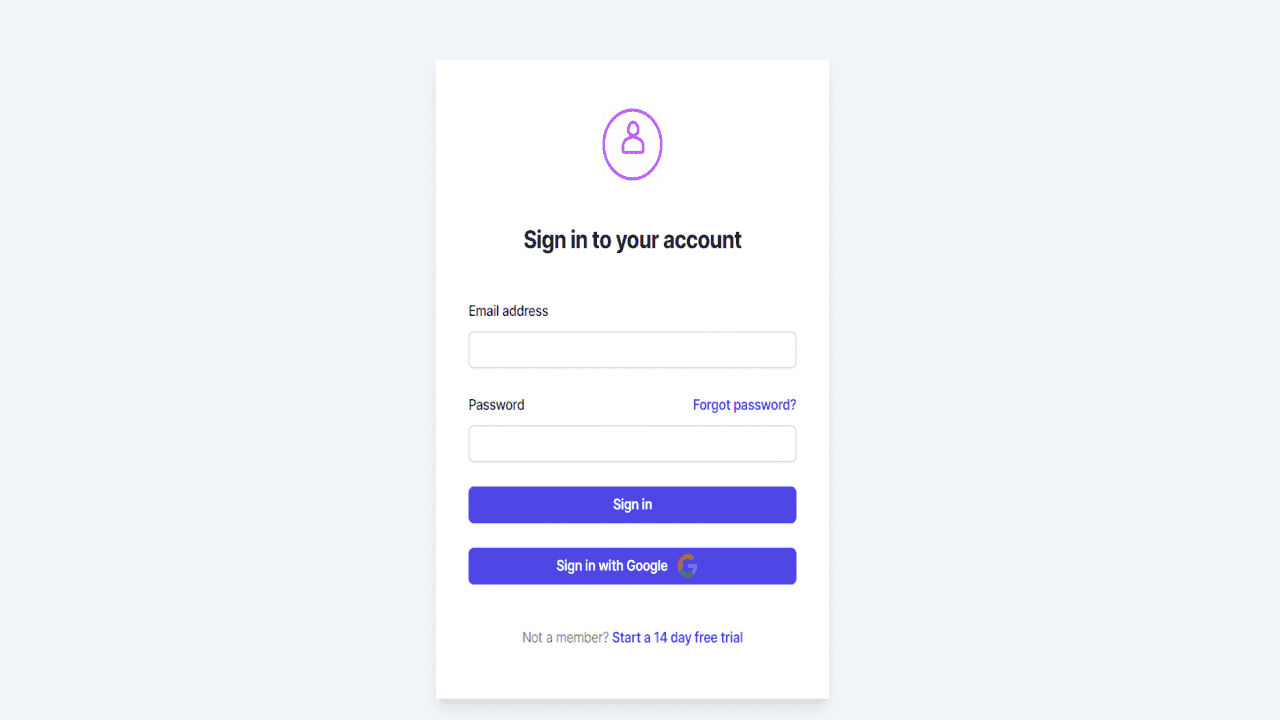
Project Description
Steps for adding Next JS 14 Authentication | Protected Routes | Google SignIn in Next JS Using NextAuth
1. Install NextAuth
npm install next-auth
2. These Files Need to be created
Go to 'src\app\api\auth\[...nextauth]' and create
options.ts
route.ts
3. Update 'options.ts' File
import type { NextAuthOptions } from "next-auth";
import GitHubProvider from "next-auth/providers/github";
import CredentialsProvider from "next-auth/providers/credentials";
import GoogleProvider from "next-auth/providers/google";
export const options: NextAuthOptions = {
providers: [
GitHubProvider({
clientId: process.env.GITHUB_ID as string,
clientSecret: process.env.GITHUB_SECRET as string,
}),
GoogleProvider({
clientId: process.env.NEXT_GOOGLE_CLIENT_ID as string,
clientSecret: process.env.NEXT_GOOGLE_CLIENT_SECRET as string,
}),
CredentialsProvider({
name: "Credentials",
credentials: {
username: {
label: "Username:",
type: "text",
placeholder: "Enter Username",
},
password: {
label: "Password:",
type: "password",
placeholder: "Enter Password",
},
},
async authorize(credentials) {
// This is where you need to retrieve user data
// to verify with credentials
// Docs: https://next-auth.js.org/configuration/providers/credentials
const user = { id: "42", name: "codingmstr", password: "codingmstr" };
if (
credentials?.username === user.name &&
credentials?.password === user.password
) {
return user;
} else {
return null;
}
},
}),
],
};
4. Update 'route.ts' File
import NextAuth from 'next-auth'
import { options } from './options'
const handler = NextAuth(options)
export { handler as GET, handler as POST }
5. Go to 'src\app\context' and create
Authprovider.tsx
6. Update 'Authprovider.tsx' File
"use client";
import { SessionProvider } from "next-auth/react";
export default function AuthProvider({
children,
}: {
children: React.ReactNode;
}) {
return <SessionProvider>{children}</SessionProvider>;
}
7. Modify root 'Layout.tsx' or 'Layout.jsx' file
Go to 'src\app\Layout.tsx'
import AuthProvider from "./context/AuthProvider";
<body className={inter.className}>
<AuthProvider>{children}</AuthProvider>
</body>
8. Modify Login Page and add Google Login Button
"use client";
import Image from "next/image";
import { useRouter } from "next/navigation";
import { signIn } from "next-auth/react";
import { useSession } from 'next-auth/react';
import { redirect } from 'next/navigation';
// import { setCookie, deleteCookie } from "cookies-next";
export default function Home() {
const router = useRouter();
const { data: session } = useSession();
if (session) {
let user = session["user"];
console.log('Session User ', user);
// setCookie("logged", "true", { maxAge: 60 * 60 * 24 * 30 });
redirect('/dashboard');
}
return (
<>
<div className="flex justify-center mt-16">
<div style={{ minWidth: "30%" }}>
<div className="shadow-lg flex min-h-full flex-1 flex-col
justify-center px-6 py-12 lg:px-8 bg-white">
<div className="sm:mx-auto sm:w-full sm:max-w-sm">
<div className="flex justify-center">
<Image src="/login.gif" height={70} width={70} />
</div>
<h2 className="mt-10 text-center text-2xl font-bold leading-9
tracking-tight text-gray-900">
Sign in to your account
</h2>
</div>
<div className="mt-10 sm:mx-auto sm:w-full sm:max-w-sm">
<form className="space-y-6" action="#" method="POST">
<div>
<label
htmlFor="email"
className="block text-sm font-medium leading-6 text-gray-900"
>
Email address
</label>
<div className="mt-2">
<input
id="email"
name="email"
type="email"
autoComplete="email"
className="block w-full rounded-md border-0 py-1.5
text-gray-900 shadow-sm ring-1 ring-inset ring-gray-300
placeholder:text-gray-400 focus:ring-2 focus:ring-inset
focus:ring-indigo-600 sm:text-sm sm:leading-6"
/>
</div>
</div>
<div>
<div className="flex items-center justify-between">
<label
htmlFor="password"
className="block text-sm font-medium leading-6 text-gray-900"
>
Password
</label>
<div className="text-sm">
<a
href="#"
className="font-semibold text-indigo-600 hover:text-indigo-500"
>
Forgot password?
</a>
</div>
</div>
<div className="mt-2">
<input
id="password"
name="password"
type="password"
autoComplete="current-password"
className="block w-full rounded-md border-0 py-1.5
text-gray-900 shadow-sm ring-1 ring-inset ring-gray-300 p
laceholder:text-gray-400 focus:ring-2 focus:ring-inset
focus:ring-indigo-600 sm:text-sm sm:leading-6"
/>
</div>
</div>
<div>
<button
onClick={() => {
router.push("/dashboard");
}}
className="flex w-full justify-center
rounded-md bg-indigo-600 px-3 py-1.5 text-sm font-semibold leading-6
text-white shadow-sm hover:bg-indigo-500 focus-visible:outline
focus-visible:outline-2 focus-visible:outline-offset-2 focus-visible:outline-indigo-600"
>
Sign in
</button>
</div>
<div>
<button
onClick={() => signIn("google")}
className="flex w-full justify-center rounded-md bg-indigo-600 px-3
py-1.5 text-sm font-semibold leading-6 text-white shadow-sm hover:bg-indigo-500
focus-visible:outline focus-visible:outline-2
focus-visible:outline-offset-2 focus-visible:outline-indigo-600"
>
<div className="flex">
Sign in with Google
<span className="mx-3">
<svg
width="24"
height="24"
viewBox="0 0 24 24"
fill="none"
xmlns="http://www.w3.org/2000/svg"
>
<rect width="24" height="24" fill="none" />
<path
fillRule="evenodd"
clipRule="evenodd"
d="M23.04 12.2614C23.04 11.4459 22.9668 10.6618
22.8309 9.90909H12V14.3575H18.1891C17.9225 15.795 17.1123 17.013 15.8943
17.8284V20.7139H19.6109C21.7855 18.7118 23.04 15.7636 23.04 12.2614Z"
fill="#4285F4"
/>
<path
fillRule="evenodd"
clipRule="evenodd"
d="M12 23.4998C15.105 23.4998 17.7081 22.4701 19.6109
20.7137L15.8943 17.8282C14.8645 18.5182 13.5472 18.926 12 18.926C9.00474 18.926 6.
46951 16.903 5.56519 14.1848H1.72314V17.1644C3.61542 20.9228 7.50451 23.4998 12 23.4998Z"
fill="#34A853"
/>
<path
fillRule="evenodd"
clipRule="evenodd"
d="M5.56523 14.1851C5.33523 13.4951 5.20455 12.758
5.20455 12.0001C5.20455 11.2421 5.33523 10.5051 5.56523
9.81506V6.83551H1.72318C0.944318 8.38801 0.5 10.1444 0.5 12.0001C0.5 13.8557
0.944318 15.6121 1.72318 17.1646L5.56523 14.1851Z"
fill="#FBBC05"
/>
<path
fillRule="evenodd"
clipRule="evenodd"
d="M12 5.07386C13.6884 5.07386 15.2043 5.65409 16.3961
6.79364L19.6945 3.49523C17.7029 1.63955 15.0997 0.5 12 0.5C7.50451 0.5 3.61542
3.07705 1.72314 6.83545L5.56519 9.815C6.46951 7.09682 9.00474 5.07386 12 5.07386Z"
fill="#EA4335"
/>
</svg>
</span>
</div>
</button>
</div>
</form>
<p className="mt-10 text-center text-sm text-gray-500">
Not a member?{" "}
<span
className="font-semibold leading-6 text-indigo-600 hover:text-indigo-500
cursor-pointer"
onClick={() => {
router.push("/signup");
}}
>
Start a 14 day free trial
</span>
</p>
</div>
</div>
</div>
</div>
</>
);
}
9. Modify Protected Routes
import LogoutIcon from '@mui/icons-material/Logout';
import { useSession, signOut } from 'next-auth/react';
import { redirect } from 'next/navigation';
const { data: session } = useSession({
required: true,
onUnauthenticated() {
redirect('/')
// redirect('/api/auth/signin?callbackUrl=/client')
}
})
if (session) {
let user = session["user"];
console.log('Session User ', user);
}
const userLogout = () => {
signOut();
}
<AppBar
position="fixed"
sx={{
width: { sm: `calc(100% - ${drawerWidth}px)` },
ml: { sm: `${drawerWidth}px` },
bgcolor: "#FFFFFF",
color: "#2f2f2f",
}}
>
<div className="flex justify-between">
<Toolbar>
<IconButton
color="inherit"
aria-label="open drawer"
edge="start"
onClick={handleDrawerToggle}
sx={{ mr: 2, display: { sm: "none" } }}
>
<MenuIcon />
</IconButton>
<Typography variant="h6" noWrap component="div">
Dashboard
</Typography>
</Toolbar>
<div className="mt-3 mr-3 cursor-pointer" onClick={() => userLogout()}>
<Typography variant="h6" noWrap component="div">
<LogoutIcon /> Logout
</Typography>
</div>
</div>
</AppBar>
STEPS TO SET UP GOOGLE LOGIN
10. Create .env file and followinf lines
NEXT_GOOGLE_CLIENT_ID=xxxxxxxxxxxxxxxxxxxxxxxx
NEXT_GOOGLE_CLIENT_SECRET=xxxxxxxxxxxxxxxxx
NEXTAUTH_SECRET=anyrandomsecuritytext
NEXTAUTH_URL=http://localhost:3000
11. Go to 'https://console.cloud.google.com/welcome'
12. Click in 'API and Services'
13. Setup OAuth consent screen if using for first time
14. Go to 'Credentials' and click 'CREATE CREDENTIALS' then select OAuth client ID
15. Select 'Web Application'
16. Then Enter Name and Add Authorised redirect URIs 'http://localhost:3000'
17. Add Authorised redirect URIs 'http://localhost:3000/api/auth/callback/google'
18. Save and copy GOOGLE_CLIENT_ID and GOOGLE_CLIENT_SECRET
and paste ito to env file
Now your NEXT JS AUTHENTICATION with PROTECTED ROUTES is ready with GOOGLE SIGNIN