
Project Description
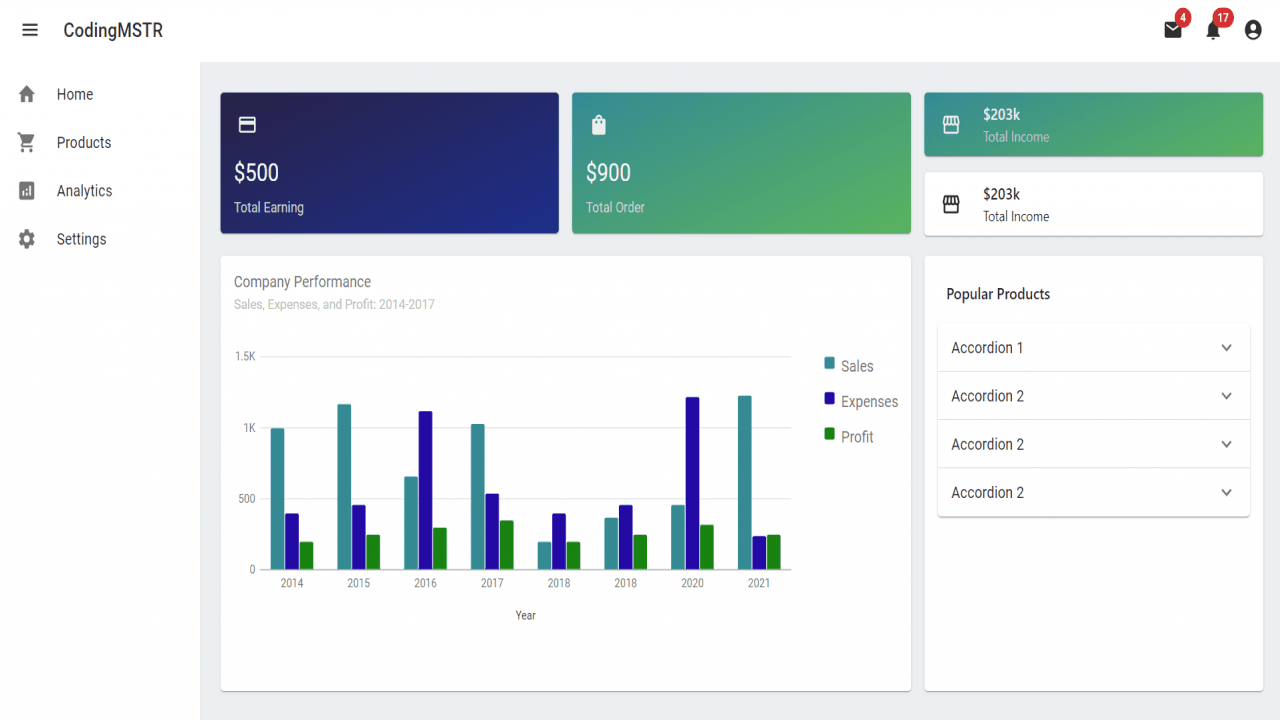
Responsive React Dashboard on MUI UI Framework
Creating a responsive React dashboard using the MUI (Material-UI) UI framework is one of the most efficient ways to build modern, user-friendly admin panels and interfaces. MUI provides a robust and customizable component library that makes it easy to build sleek dashboards that work seamlessly across devices, from mobile phones to desktops.
Why Choose MUI for Your React Dashboard?
-
Google’s Material Design: MUI implements Material Design principles, ensuring consistency and usability.
-
Responsive Grid System: Built-in support for breakpoints lets you adapt layouts easily to different screen sizes.
-
Rich Component Library: Access to ready-to-use components like
Card,Grid,Drawer,AppBar, and more. -
Theme Customization: Tailor your dashboard’s look and feel with powerful theming options.
Key Features of a Responsive MUI Dashboard
-
Sidebar Navigation (Drawer)
-
Expandable and collapsible drawer with support for mobile-first design.
-
Persistent drawer with routing integration using
react-router-dom.
-
-
Cards and Data Visualization
-
Display key metrics using responsive
Cardcomponents. -
Integrate chart libraries like
recharts,Chart.js, orVictoryfor visual insights.
-
-
Grid Layouts for Flexibility
-
Use MUI’s
Gridcomponent to align cards, tables, and forms efficiently. -
Set breakpoints (e.g.,
xs,sm,md,lg) to ensure elements stack on smaller screens and sit side-by-side on larger displays.
-
-
Mobile-First UX
-
Adapt navigation, typography, and content to work beautifully on mobile.
-
Hide or collapse less important UI elements to prioritize content.
-
SEO and Performance Tips
-
Lazy Load Components: Use
React.lazyandSuspenseto improve initial load time. -
Use Semantic HTML: Ensure components like headers, navs, and main content are wrapped in proper semantic tags.
-
Accessibility (a11y): Leverage MUI’s built-in support for accessibility to make your dashboard usable by all.
Conclusion
A responsive React dashboard built with MUI offers a professional UI/UX, rapid development, and scalability. Whether you’re building an admin panel, analytics portal, or management system, MUI provides the tools and structure you need to create a modern, responsive, and SEO-optimized interface.