
Project Description
📝 Project Description:
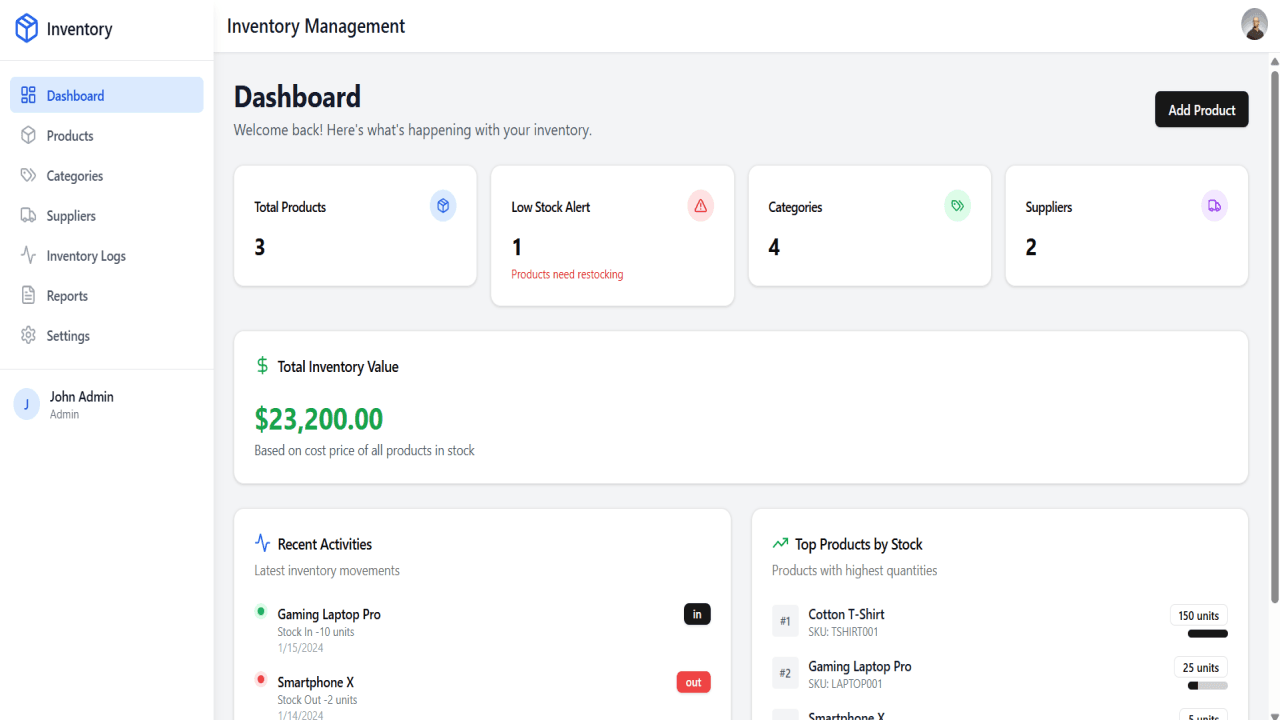
A sleek, responsive, and scalable Inventory Management System UI built using React JS. This application is designed to simplify the tracking, organization, and management of products within a business environment. It features dynamic dashboards, CRUD operations for inventory items, category and supplier management, stock level indicators, and intuitive navigation.
Built with reusable components, clean state management, and modern design patterns, this project serves as a strong foundation for full-stack inventory solutions.
📚 Content Outline:
1. Introduction
-
Overview of the project
-
Key objectives of the UI
-
Why React JS was chosen
2. Core Features
-
🔍 Dashboard Overview
-
Summary of stock levels
-
Low-stock alerts
-
Recent activity log
-
-
📦 Inventory Items Management
-
Create, Read, Update, Delete (CRUD) for items
-
Search, filter, and sort options
-
Pagination support
-
-
🏷️ Category Management
-
Group items into categories
-
Add, edit, remove categories
-
-
🤝 Supplier Management
-
Manage supplier details
-
Link suppliers to inventory items
-
-
📈 Reports & Analytics (Optional UI)
-
Basic charts using Recharts or Chart.js
-
Visual representation of stock levels or turnover
-
3. Tech Stack
-
Frontend: React JS (Hooks & Functional Components)
-
State Management: Context API or Redux (optional)
-
Routing: React Router
-
UI Library: Tailwind CSS / Material-UI / Shadcn UI
-
Icons: Lucide Icons or FontAwesome
-
Charts: Recharts or Chart.js (optional)
4. Folder Structure (Suggested)
react-template-project/
├── public/              # Static assets
│   ├── components/      # Reusable components
│   │   └── ui/          # UI components from ShadCN
│   ├── hooks/           # Custom React hooks
│   ├── lib/             # Utility functions and libraries
│   ├── pages/           # Page components
│   ├── App.tsx          # Main application component
│   ├── index.css        # Global styles
│   └── main.tsx         # Application entry point
├── .gitignore
├── package.json         # Project dependencies and scripts
├── tailwind.config.ts   # TailwindCSS configuration
├── tsconfig.json        # TypeScript configuration
└── vite.config.ts       # Vite configuration