
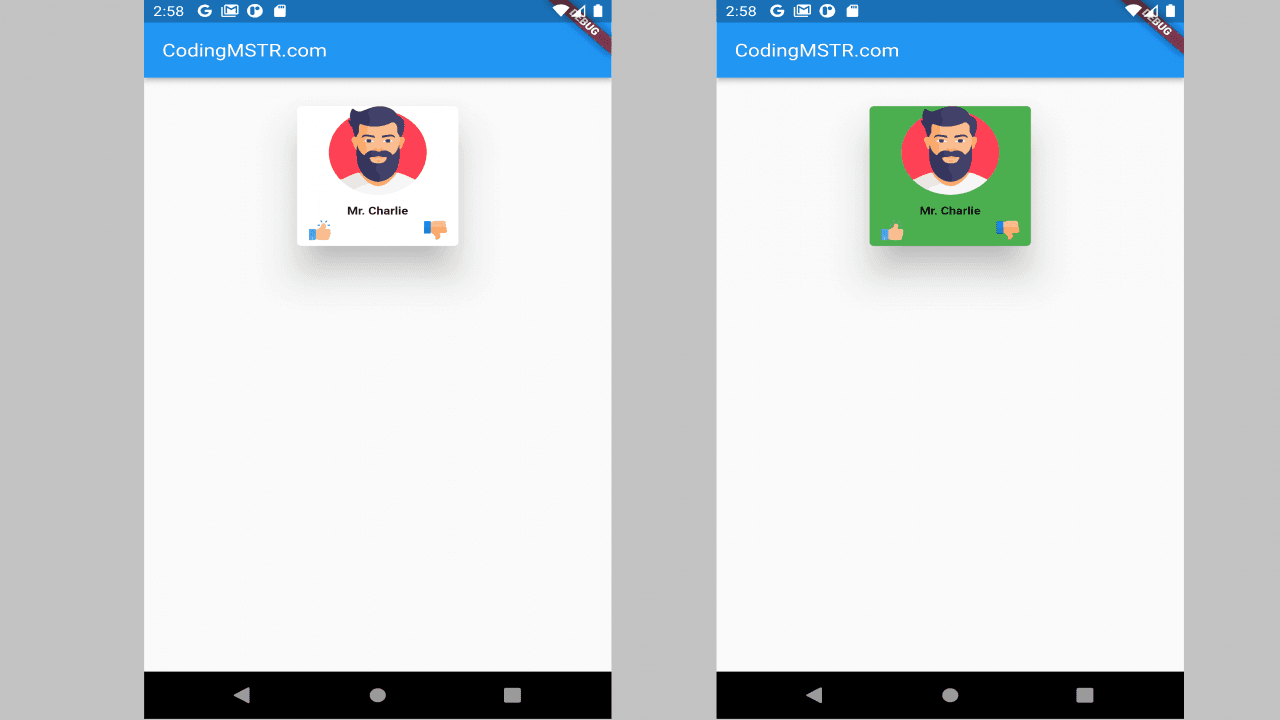
Project Description
This profile card is the best example if you want to design a custom flutter card with text and images.
Here I have created a profile card with the help of a flutter card.
You can download the source code or follow these steps:
1. Add Assets in pubspec.xml
uses-material-design: true
assets:
- assets/
2. Download images of your need.
3. Copy the code below to get a custom flutter card if you have these requirements:
- flutter card
- flutter card elevation
- flutter card with text and image
- box-shadow flutter
- custom flutter card
- profile card in a flutter
//SOURCE CODE
import 'package:flutter/cupertino.dart';
import 'package:flutter/material.dart';
class CardTest extends StatefulWidget {
const CardTest({Key? key}) : super(key: key);
@override
State<CardTest> createState() => _TestCardTest();
}
class _TestCardTest extends State<CardTest> {
@override
Widget build(BuildContext context) {
return Scaffold(
appBar: AppBar(
title: const Text(
"CodingMSTR.com",
style: TextStyle(
color: Colors.white,
fontWeight: FontWeight.normal,
fontSize: 18),
),
),
body: Column(
crossAxisAlignment: CrossAxisAlignment.start,
children: <Widget>[
Padding(
padding: const EdgeInsets.fromLTRB(0, 25, 0, 0),
child: Center(
child: SizedBox(
height: 150.0,
width: 150.0,
child: Card(
elevation: 30,
color: Colors.green,
child: Column(
mainAxisSize: MainAxisSize.min,
children: <Widget>[
GestureDetector(
onTap: () => {incrementnumber()},
child: _buildImg('assets/man.png', '90', '90'),
),
const SizedBox(
height: 10,
),
const Text("Mr. Charlie",
style: TextStyle(
fontWeight: FontWeight.w600,
fontSize: 11)),
const SizedBox(
height: 3,
),
Container(
child: Padding(
padding: const EdgeInsets.fromLTRB(10, 0, 10, 0),
child: Row(
mainAxisAlignment: MainAxisAlignment.spaceBetween,
crossAxisAlignment: CrossAxisAlignment.end,
children: <Widget>[
_buildImg('assets/like.png', '20', '20'),
_buildImg('assets/dislike.png', '20', '20'),
],
),
),
),
],
),
),
),
),
),
]));
}
void incrementnumber() {
print('incrementnumber');
}
_buildImg(img, hei, wid) {
return Container(
alignment: Alignment.center, // use aligment
child: Image.asset(
img,
height:double.parse(hei),
width: double.parse(wid),
fit: BoxFit.cover,
),
);
}
}
//SOURCE CODE