
CodingMSTR LogoCodingMSTR
Flutter checkbox example with source code

Flutter checkbox example with source code

Free

<div><br></div><div><span style="color: inherit; font-family: inherit; font-size: 0.875rem; letter-spacing: 0.00714286em;">Here you can find code for using flutter checkbox.</span><br></div>

Category: Flutter
Added On: September 25, 2022
Developer: By Praveen
Youtube Video

For any customization or code setup, feel free to contact us. We also offer deployment on live servers.

For any issues related to downloading, email me at devpraveenkr@gmail.com

Need additional support or customization? Contact me!

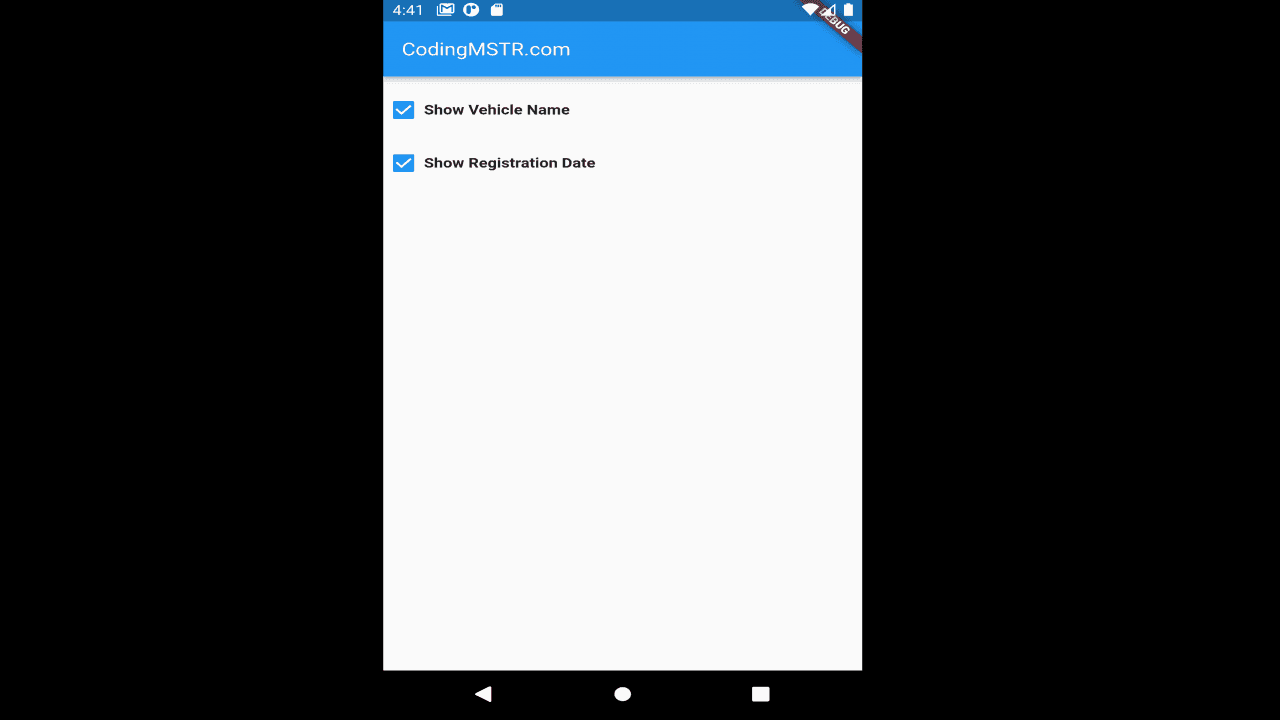
Project Screenshots

Project Description


Flutter checkbox requires the Material widget. Here you can find an example of a flutter checkbox. 

I have provided the full source code of the flutter checkbox. you can just copy and paste it into your widget.

Used padding and Sizedbox to show checkbox and label in a proper way.

// Starting of Source Code

import 'package:flutter/cupertino.dart';
import 'package:flutter/material.dart';

class MyCheckbox extends StatefulWidget {
  const MyCheckbox({Key? key}) : super(key: key);

  @override
  State<MyCheckbox> createState() => _MyCheckboxState();
}

class _MyCheckboxState extends State<MyCheckbox> {
  bool valuetitle = true;

  _onclicked(value) {
    print('Clicked...' + value.toString());
  }

  @override
  Widget build(BuildContext context) {
    return Scaffold(
      appBar: AppBar(
        title: const Text(
          "CodingMSTR.com",
          style: TextStyle(
              color: Colors.white, fontWeight: FontWeight.normal, fontSize: 18),
        ),
      ),
      body: Column(
          crossAxisAlignment: CrossAxisAlignment.start,
          children: <Widget>[
            Padding(
              padding: EdgeInsets.fromLTRB(0, 14, 0, 0),
              child: Row(children: <Widget>[
                SizedBox(
                  height: 40.0,
                  width: 35.0,
                  child: Checkbox(
                    value: valuetitle,
                    onChanged: (value) {
                      _onclicked(valuetitle);
                      if (valuetitle) {
                        setState(() {
                          valuetitle = false;
                        });
                      } else {
                        setState(() {
                          valuetitle = true;
                        });
                      }
                    },
                  ),
                ),
                const SizedBox(
                  height: 25.0,
                  width: 140.0,
                  child: Padding(
                    padding: EdgeInsets.fromLTRB(0, 4, 0, 0),
                    child: Text(
                      'Show Vehicle Name',
                      style:
                          TextStyle(fontSize: 14, fontWeight: FontWeight.bold),
                    ),
                  ),
                ),
              ]),
            ),
          ]),
    );
  }
}

// Ending of Source Code

Project Demo Video