
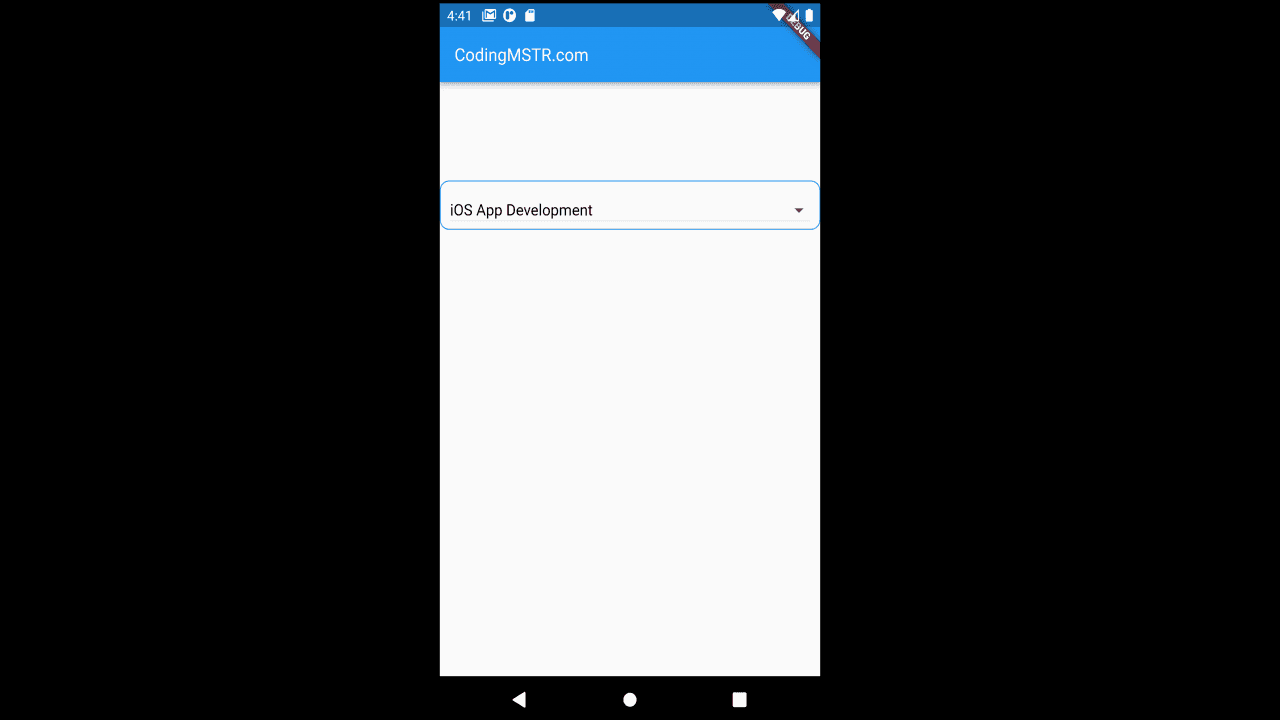
Project Description
Learn how you can use the data models as you flutter the dropdown model.
In place of model you can use API as you flutter dropdown list source.
//Starting of Source Code
import 'package:flutter/cupertino.dart';
import 'package:flutter/material.dart';
import 'datamodel.dart';
class TestSelect extends StatefulWidget {
const TestSelect({Key? key}) : super(key: key);
@override
State<TestSelect> createState() => _TestSelectState();
}
class _TestSelectState extends State<TestSelect> {
var my_services;
_onclicked(value) {
print('Clicked...' + value.toString());
}
@override
Widget build(BuildContext context) {
return Scaffold(
appBar: AppBar(
title: const Text(
"CodingMSTR.com",
style: TextStyle(
color: Colors.white,
fontWeight: FontWeight.normal,
fontSize: 18),
),
),
body: Column(
crossAxisAlignment: CrossAxisAlignment.start,
children: <Widget>[
Padding(
padding: EdgeInsets.fromLTRB(0, 150, 0, 0),
child: Container(
height: 50,
padding: const EdgeInsets.only(
left: 10.0, right: 10.0, top: 10.0),
decoration: BoxDecoration(
borderRadius: BorderRadius.circular(10),
border: Border.all(color: Colors.blue),
),
child: Center(
child: DropdownButton<String>(
hint: const Text('Choose Option'),
elevation: 16,
isExpanded: true,
style:
const TextStyle(color: Colors.black, fontSize: 16.0),
onChanged: (String? changedValue) {
my_services = changedValue;
setState(() {
my_services;
_onclicked(my_services);
});
},
value: my_services,
items:
Service.serviceOptions().map((String value) {
return DropdownMenuItem<String>(
value: value,
child: new Text(value),
);
}).toList()),
),
),
),
]));
}
}
// Ending of Source Code
//Data Model Source Code
class Service {
static List<String> serviceOptions(){
List<String> options = [
"App Developement",
"Web Application Developement",
"Android App Development",
"iOS App Development",
"Digital Marketing",
];
return options;
}
}
//Data Model Source Code